Norn Install

Norn

All your home cameras. One calm app.

Live video on your phone and desktop, the controls of each camera's own app, an AI that tells a person from a shadow, and recordings you can actually find. On your own hardware, a Raspberry Pi is enough, with no cloud and no account.

Open source, MITLocal, no cloudDocker or PyPIHome Assistant

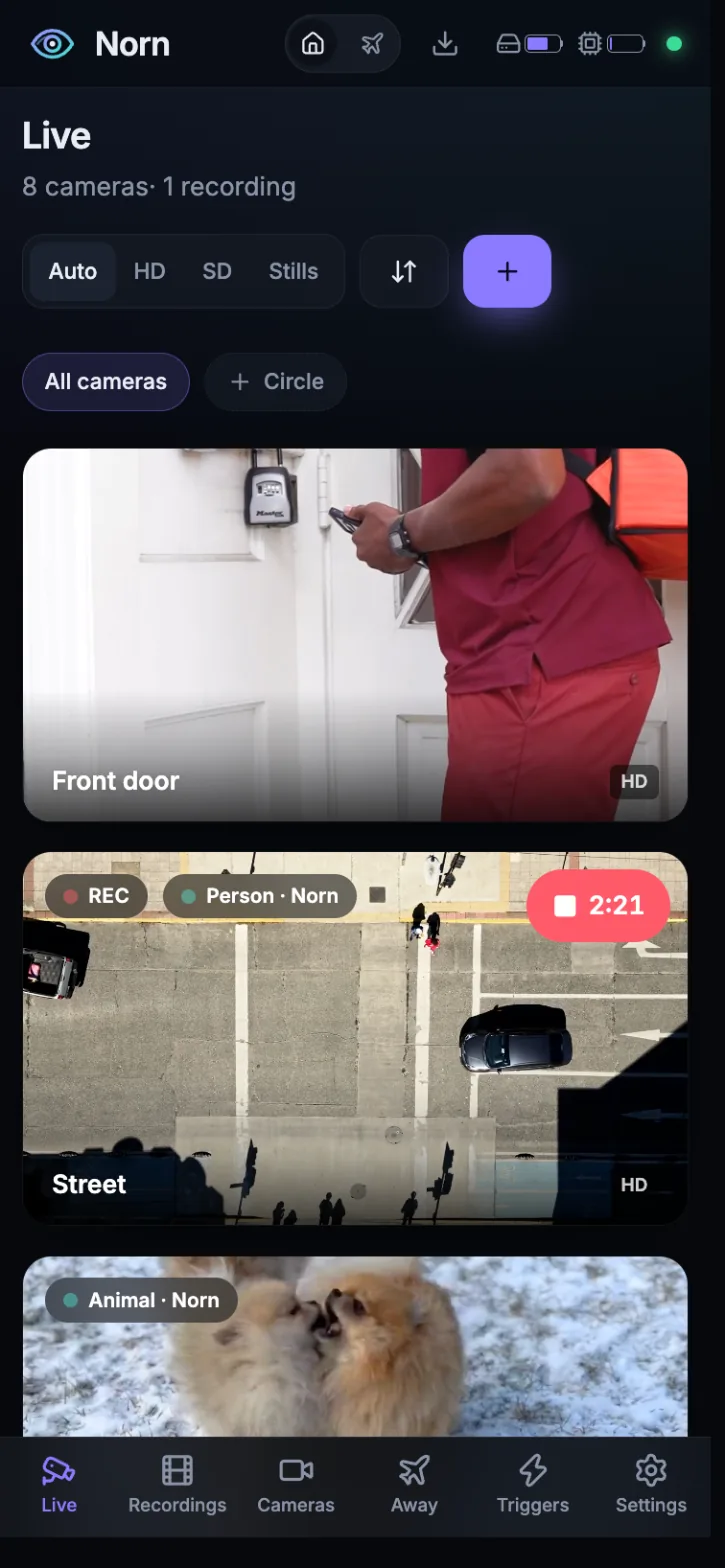
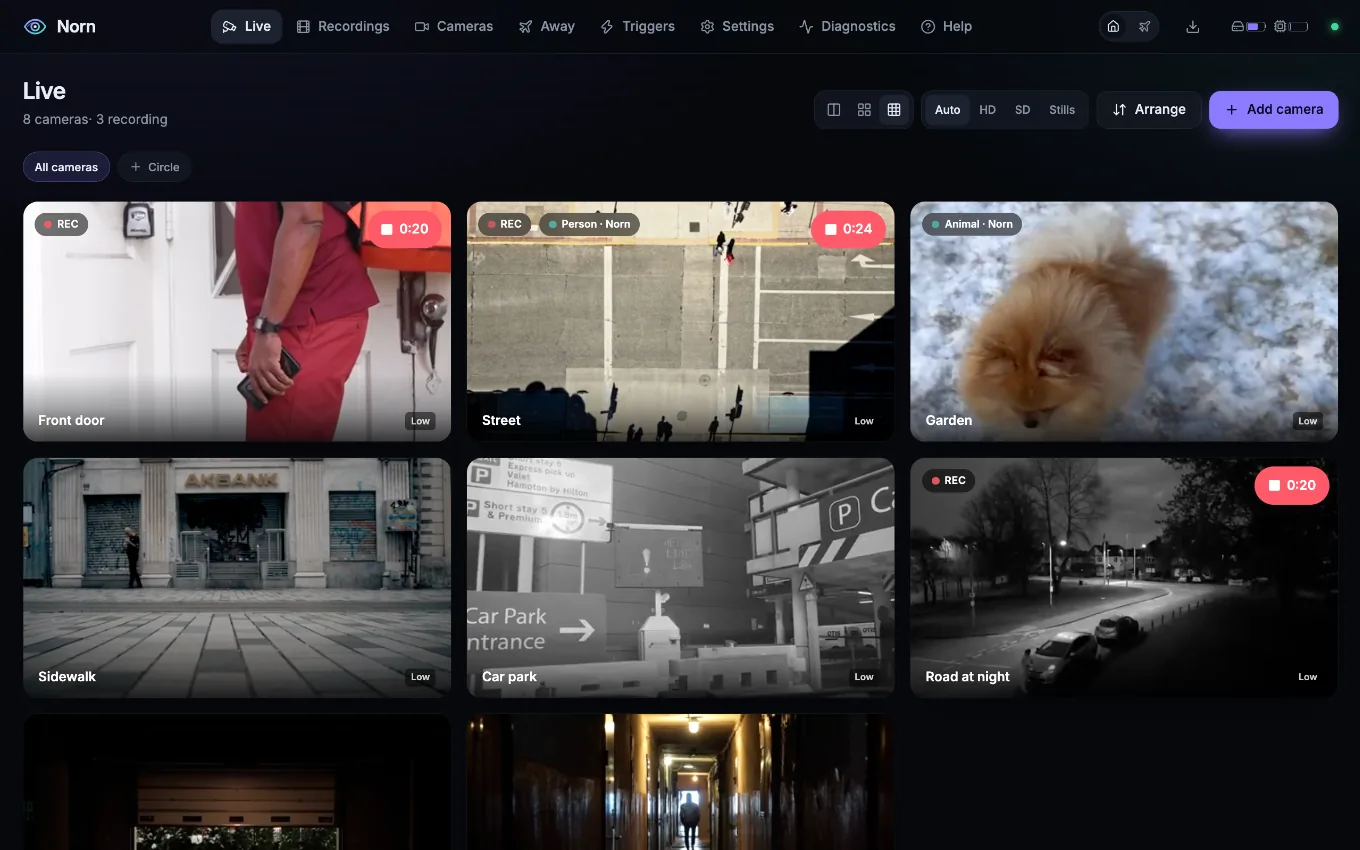
Norn's Live view: a grid of cameras with their names, the recording badge, and what each one detects.

A tour of Norn

01 Live

All at a glance

Live video in the browser over WebRTC, with MSE and HLS where WebRTC can't go. It starts in about a tenth of a second, from a picture kept ready, and the quality adapts to the connection. A Reolink, a Hikvision and a twelve-year-old Foscam, side by side.

First frame
0.1 s
Re-encoding
none
Per stream
a few % of a core
Norn's Live view: a grid of cameras with their names, the recording badge, and what each one detects.

02 The camera

Every control

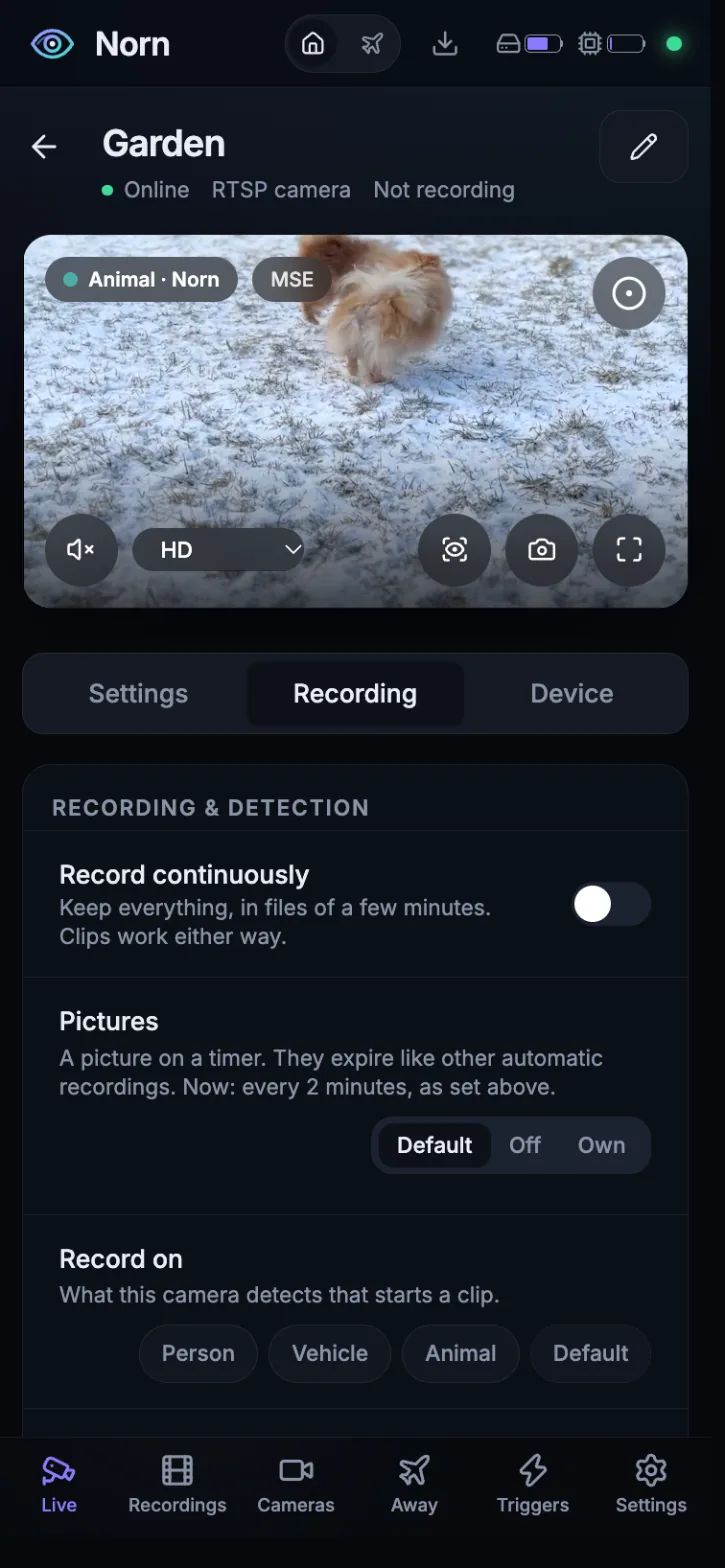
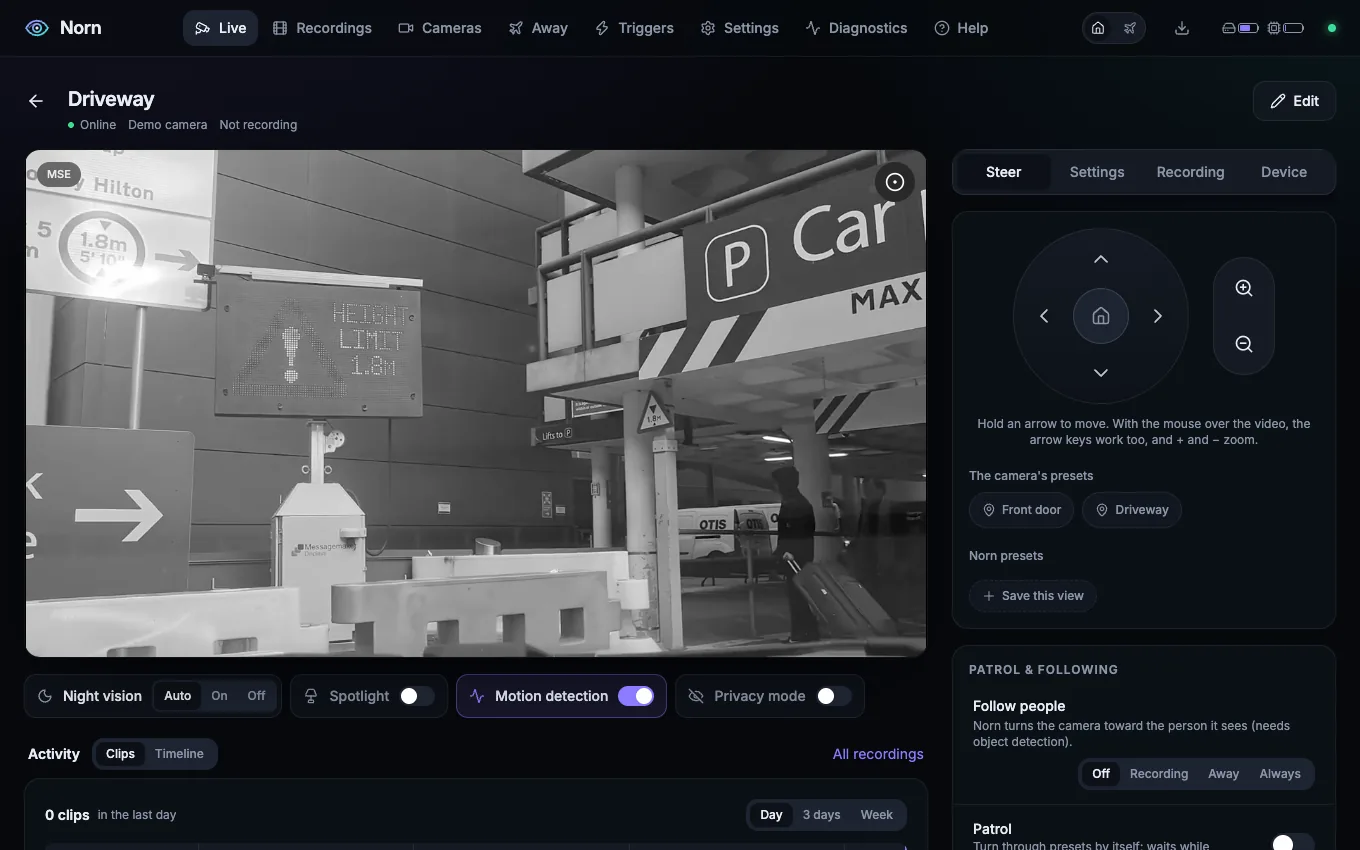
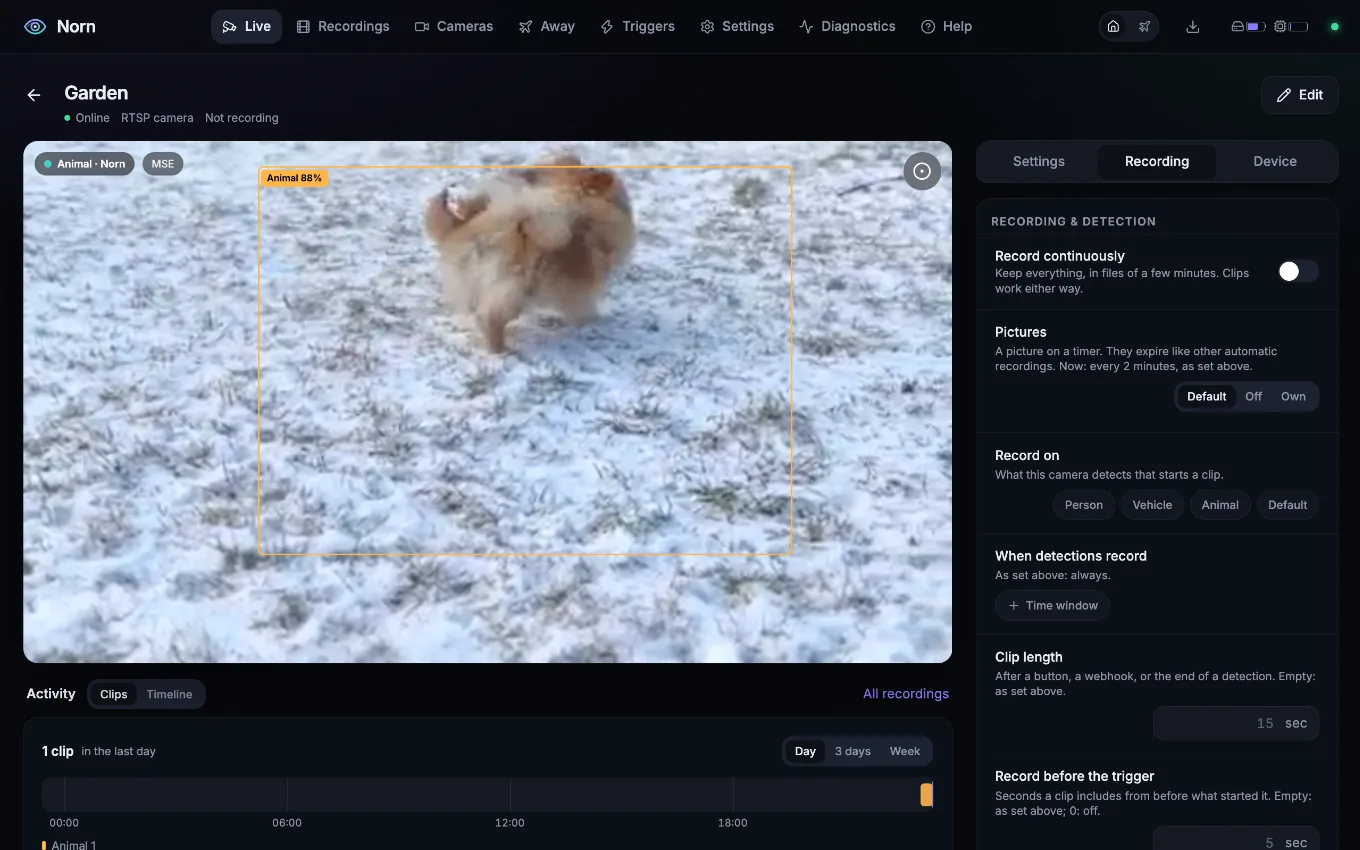
The video at the camera's own shape. Under it the switches you use every day: infrared, the light, privacy, the camera's alarm. Beside it, tabs to steer it, change its settings, set what records, and see the device and its firmware.

  • Pan, tilt and zoom with a pad or the arrow keys
  • Presets with a picture, patrol, following people
  • Firmware: installed, newest, and the update
The camera page: the video, quick switches under it, and the Steer tab with the pan and tilt pad beside it.

03 Detection

AI you can see

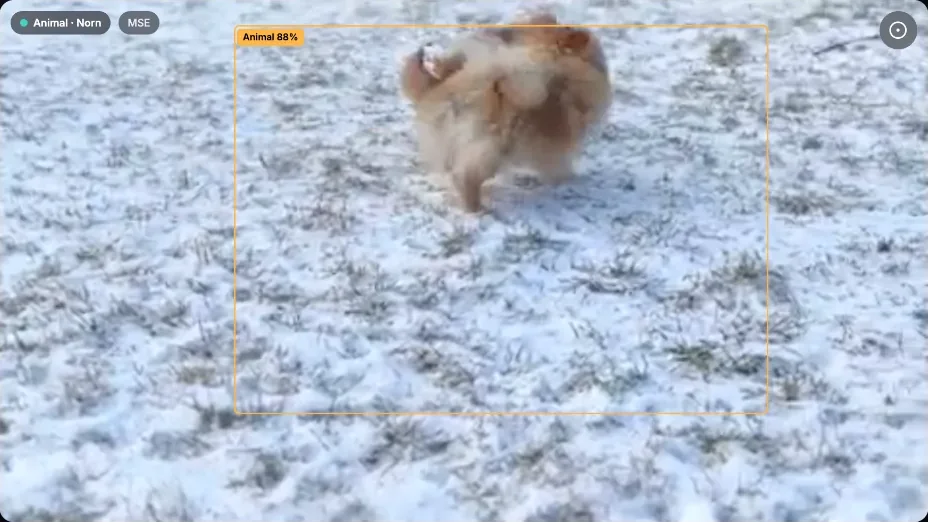
Norn finds people, vehicles and animals itself, with a small model on the CPU, and draws a box with its certainty on the video. What stands still, a parked car or a sheet on a chair, stops counting after a minute.

  • Each detection says who saw it: the camera, Norn, or both
  • When a camera's own AI reports a person, Norn looks too, and marks or skips the clips it can't confirm
  • Certainty, confirmation delay and schedules for every camera
A camera's video with Norn's box around a dog in the snow, labelled Animal 88 %, and the badge Animal · Norn.

04 Recordings

Events, not files

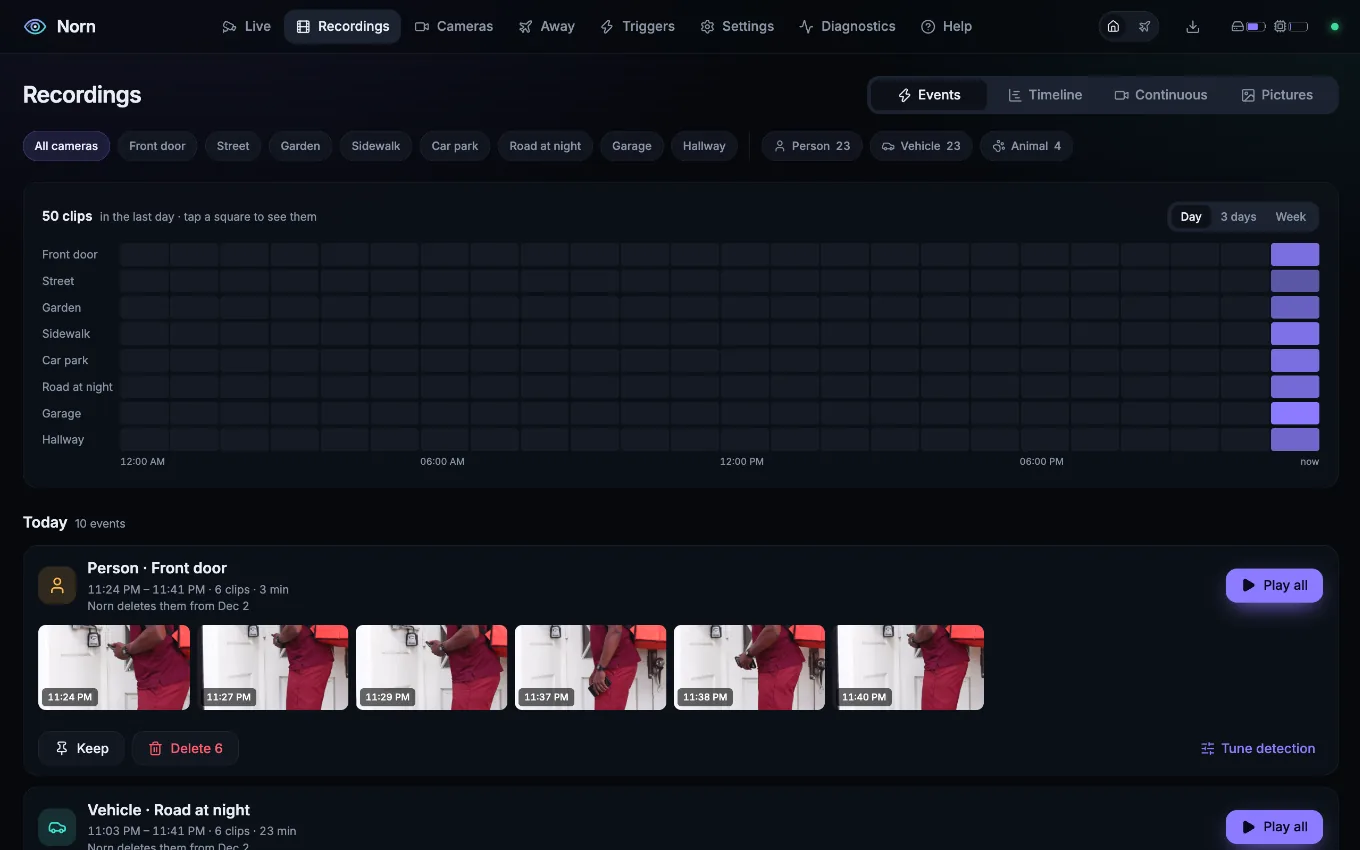
Clips close together become one event: "Person at the driveway, 21 clips, 04:33 to 05:59", with Play all, Keep and Delete. A heat map shows when things happened on every camera, over a day or a week.

  • Clips start seconds before their trigger, from a buffer in RAM
  • Continuous recording, and pictures on a timer
  • Plain MP4 and JPEG files in day folders; old ones expire by age, size or free space
The Recordings page: a heat map of cameras by hour, then the events of the day, each with its clips.

05 Timeline

Any moment

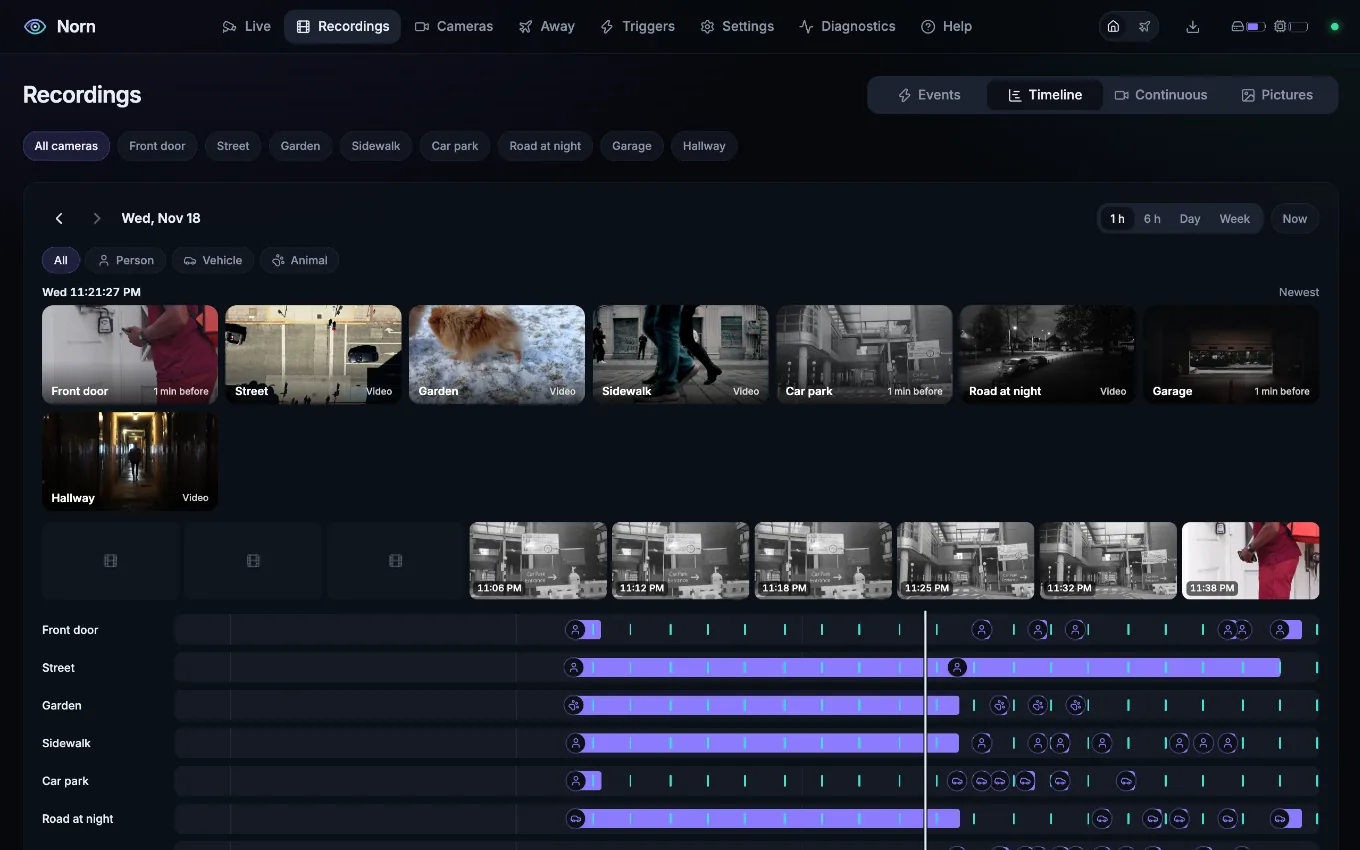
All recordings on one time axis. Point at a moment and see every camera as it was then; drag to go back by an hour, a day or a week. On the phone, time moves under your finger and the playhead stays put.

The timeline: a picture of each camera at the playhead's moment, and a track per camera with its clips and pictures.

06 On your phone

Home, anywhere

Install Norn to the home screen: its own icon, full screen, a bottom bar for the thumb. A notification with a picture tells you when someone is at the door, for the cameras and detections you pick, only while you're away if you like.

  • Everyone in the household signs in as themselves
  • Away mode records every detection while nobody is home
Norn on a phone: a camera's video, its quick switches and the tabs below.

More in the box

Home Assistant

Turn on MQTT and every camera appears by itself: detections, recording, controls, presets, and away mode as a switch.

Finds your cameras

Add camera looks for ONVIF cameras in your network and fills in the address. Every stream is probed, so you pick what works.

Circles

Group cameras: one trigger records them all, they share settings, and the controls they have in common are set at once.

Triggers where they matter

What records and how long: for all cameras, a circle, one camera, or one pan/tilt preset. The gate view records people, the yard view animals.

A YAML file, no database

Everything is in config.yaml. Edit it by hand or in the app: Norn keeps your comments and picks up changes while it runs.

Diagnostics

What each camera and each part of Norn costs in CPU and memory, a forecast of the storage, and the log.
Your cameras

Each brand has a driver that speaks its own language, for what ONVIF can't do: the spotlight, the siren, the AI events, firmware. Any camera with an RTSP stream works for video and recording.

Tested on real cameras

  • Reolinkvideo, PTZ, presets, AI events and their sensitivity, firmware updates
  • Hikvisionvideo, image settings, motion and smart events
  • supra, older Foscamvideo, pan and tilt, presets, infrared, motion alarm
  • ONVIFstreams, PTZ, presets, imaging settings
  • Any RTSP cameravideo and recording

Written from the manufacturer's documentation

  • Dahua, Amcrestvideo, PTZ, presets, events
  • Axisvideo, PTZ, presets
  • Foscam since 2014video, PTZ, infrared, flip
  • TP-Link Tapovideo, pan and tilt, privacy mode
  • UniFi Protectvideo, presets, events

Own one of these? Tell us how it goes. A camera tried at home is worth more than any spec sheet.

How it works

Norn controls the cameras, and go2rtc moves the video. go2rtc reads each camera once and hands the same stream to every browser and to the recorder, repackaged, never re-encoded. Norn does everything else: the controls, the detection, the recordings and the app.

video, read once WebRTC · MSE · HLS recording PTZ · settings · events app · API CamerasRTSP · ONVIF · vendor go2rtcrelays the video Norncontrols · detects · records Browserphone · desktop video control CamerasRTSP · ONVIF go2rtcrelays video Norncontrols · records Browserphone · desktop
video, never re-encoded control

Private by design

Norn runs on your hardware, in your network. It never phones home and needs no account with anyone. For access from outside, everyone in the household gets their own sign-in, and Norn goes behind the HTTPS you already have: Caddy, nginx, or tailscale serve.

  • Camera passwords never leave the server, and the log removes them
  • Reolink cameras stay closed: Norn speaks their own protocol and opens no ports
  • Firmware without updates is flagged, with what to do about it

Install in minutes

  1. Start Norn

    Save as compose.yaml and run docker compose up -d. One image for amd64 and arm64, with go2rtc and FFmpeg inside.

    services:
      norn:
        image: ghcr.io/andiwand/norn:latest
        restart: unless-stopped
        network_mode: host
        environment:
          TZ: Europe/Vienna # your time zone
        volumes:
          - ./config:/config
          - ./recordings:/recordings
          - ./temp:/temp
        shm_size: 256m
  2. Open it

    Go to http://<host>:8000 on your phone or computer. A demo camera is there to try things out, and the app installs to the home screen.

  3. Add your cameras

    Add camera finds ONVIF cameras in your network. Pick the brand, enter the camera's password, and Norn probes every stream. Or write them into config.yaml:

    cameras:
      front-door:
        name: Front door
        driver: reolink
        host: 192.168.1.20
        password: …

Try Norn

0.1 sto the first frame
0re-encoding of camera video
9brand drivers, and any RTSP camera
0accounts, clouds or subscriptions